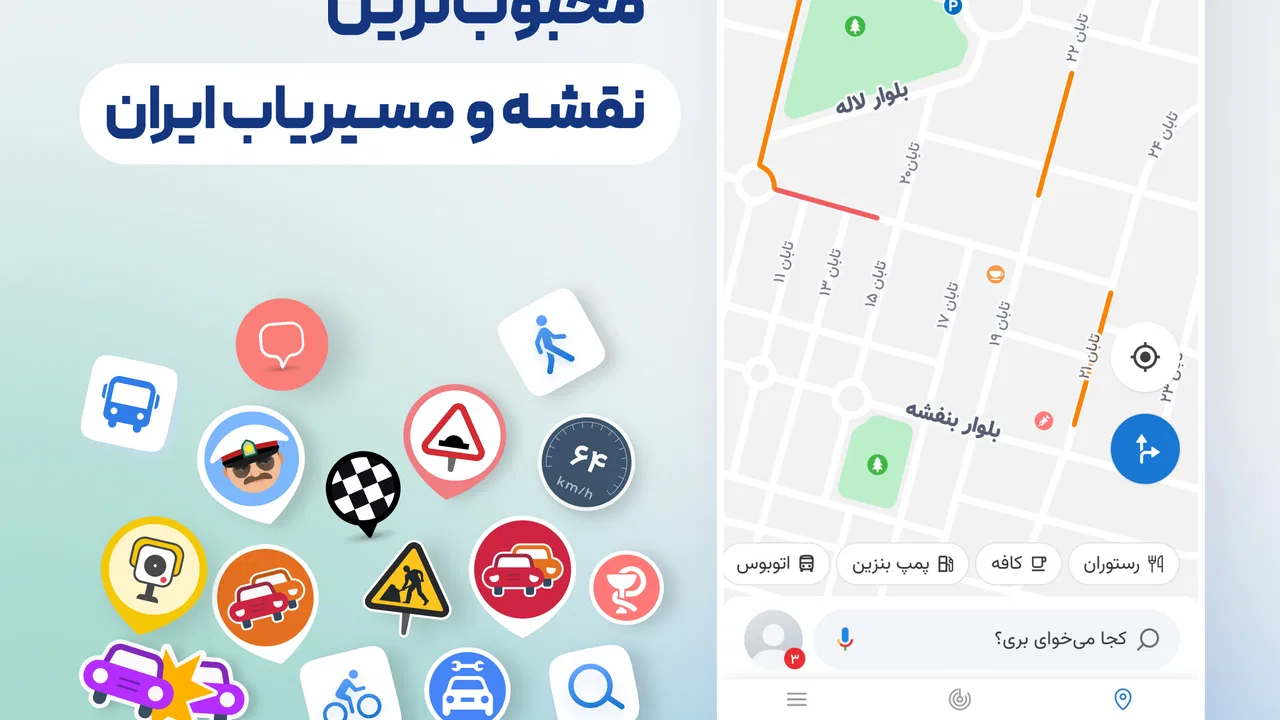
Neshan| Map & Navigation App
- 4.4
- Rating
- 10.00M
- Installs
- Free
- Price

 Analysis by App-foxy
I came away from Neshan with the impression that it is built for people who want a practical driving companion rather than a decorative map. It belongs to the Maps & Navigation category, costs nothing to download, and focuses on helping you get from one place to another with less hesitation. My clear recommendation is that it is especially worth trying if your daily travel is centered on Iranian cities and roads, while people who need a universally familiar international mapping service may still prefer a more global alternative.
The app has a strong presence in its home market. It has an average rating of 4.5 from around 226 thousand ratings, and it has passed 10 million installs. Those figures do not automatically make every route perfect, but they do suggest that Neshan has become a regular tool for a large number of drivers rather than a little-known experiment. The developer appears in the store as نقشه و مسیریاب نشان, and the app is suitable for Everyone, which makes it approachable for households where several people may use the same phone or share navigation duties.
Why Neshan feels useful in everyday driving
I find Neshan most useful when I treat a trip as a set of decisions rather than simply following a line on a screen: confirm the destination, check the first turns, and think about the final approach before setting off. That routine can make everyday driving feel less rushed, especially when I am heading somewhere unfamiliar. The next thing I would weigh is whether its local focus suits my regular routes better than a broader alternative.
You May Also Like

 Blood Strike: 2.5 Anniversary
Blood Strike’s Loadouts Turn Every Drop Into a Tactical Gamble
A close look at Blood Strike’s custom loadouts: how fast access to signature weapons reshapes its battle royale rhythm, rewards preparation, and narrows the gap between fights.

 Pandora - Music & Podcasts
Pandora’s Music Is Easy to Start, but Harder to Recover
Pandora’s strength is its low-effort path from a seed to a station. Its weak spot is how much confidence it asks you to place in connection, setup, and quiet recovery.

 8 Ball Pool
 Is Built on Rivalries, Rematches, and Routine
A close look at the rivalries, rematches, shared routines, and unanswered safety questions that turn a quick pool match into a persistent mobile community.

 Samsung Music
’s Quiet Strength Is Playing What You Already Own
Its reach comes less from spectacle than from dependable access to a personal library. That simplicity is both the app’s strongest retention engine and its ceiling.

 AccuWeather: Weather Radar
AccuWeather Review: A Quick, Clear Forecast for Everyday Decisions
For everyday plans, the best forecast is the one you can understand quickly. AccuWeather makes rain timing, radar, and local conditions easy to act on, with a few trade-offs.

 Hill Climb Racing
Why Hill Climb Racing Still Turns Crashes Into One More Run
A tiny car, a bumpy hill and one more upgrade: Hill Climb Racing keeps resurfacing because its simple chaos makes every near-miss feel personal.
More From Our News Desk
View All News


A navigation tool that prioritizes decisions, not decoration
When I use a navigation app, I care less about how impressive the map looks than about whether I can understand my next move quickly. Neshan’s value is in that direct, task-focused experience. I can open it, search for a destination, inspect the suggested route, and begin driving without having to work through a complicated planning process. That simplicity matters most when I am already in a hurry, carrying bags, or trying to leave a crowded street safely.
The app is a natural fit for routine journeys: commuting to work, finding a clinic, reaching a new restaurant, or crossing an unfamiliar part of town. It is also useful when a destination is easier to identify by its place name than by a complete street address. In that situation, a map application that helps connect a search with a drivable route saves more time than manually studying streets before leaving home.
I particularly like the idea of checking the route before starting rather than blindly following the first instruction. A quick look at the proposed path can reveal whether the app is sending me through a narrow local street, toward a major road, or around a congested area. That small habit gives me more control and reduces the chance of making a last-second turn simply because I trusted the first option on screen.
Useful for a realistic daily trip
Imagine leaving work during a busy evening and needing to collect a child from school before going home. With Neshan, I would first search for the school, review the route, and then consider whether the suggested arrival point is actually convenient for stopping. After that, I could plan the second leg instead of treating the trip as one long, uncertain drive. The practical benefit is not just the line drawn on the map; it is the ability to break a stressful journey into manageable decisions.
For a similar reason, I would use it when meeting a friend at an unfamiliar location. I can check the destination while still parked, compare the general direction with what I know about the neighborhood, and begin only after I understand the first few turns. This is safer and less distracting than repeatedly searching while moving. The app can support the journey, but good use still means preparing before driving and keeping attention on the road.
Local relevance is the main reason to choose it
Neshan’s strongest argument is its regional focus. A global mapping service may be excellent for international travel, broad business directories, and cross-border familiarity, but a locally oriented navigation app can feel more natural when your destinations, roads, and daily habits are concentrated in Iran. That distinction is important: I would not choose an app merely because it is popular worldwide if its local search experience feels less useful for the places I visit most.
This local emphasis also changes how I judge the app. I am not expecting Neshan to replace every mapping service for every country. I am judging it as a focused driving companion for people whose normal routes are local. In that role, it makes more sense than a general-purpose map that I only open occasionally and whose interface may be designed around a wider international audience.
What the store details tell me about accessibility
The current version is 14.8.10, and the minimum operating-system requirement is Android 5.0. That relatively broad compatibility makes the app relevant to people who keep an older Android phone instead of upgrading regularly. I would still check the phone’s available storage, connection quality, and general performance before relying on it for an important trip, because an older device can make any navigation experience feel slower even when the application itself is well designed.
The free price is another practical advantage. It lowers the barrier to testing Neshan alongside an existing map app, so I can compare the two on routes I already know instead of making a blind switch. For a driver who is unsure whether a local service will suit their habits, that is a better arrangement than committing money before discovering that the search style or route presentation does not feel right.
Small habits that make the app more dependable
One of the most useful habits is to search for a destination before pulling away and confirm that the selected result is the correct one. Similar names can lead to different places, and a navigation app cannot compensate for choosing the wrong listing. I also prefer to examine the first major turn and the final approach before starting. The final approach is often where a route becomes inconvenient, especially near busy buildings, entrances, or streets where stopping is difficult.
Another worthwhile habit is to treat the suggested route as advice rather than an unquestionable command. If I know that a particular road is uncomfortable at a certain time, or if I am driving a larger vehicle, I may choose a slightly less direct path. Neshan is most helpful when it reduces mental workload while leaving the final judgment with me. That balance is better than following instructions mechanically and discovering too late that the route does not suit the actual situation.
I would also keep a backup plan for journeys where arriving on time matters. A second map application, a saved address, or a quick written note can be useful if the phone loses connectivity, the battery becomes low, or the destination search produces an unexpected result. This is not a criticism unique to Neshan; it is a sensible rule for any phone-based navigation tool. The app can be a strong primary guide without being the only thing I trust on a critical trip.
The meaningful limitation: navigation still needs human checking
My main reservation is that no route recommendation should be treated as a perfect description of real traffic conditions. Streets change, access points can be confusing, and a route that looks efficient on the screen may be awkward in practice. Neshan can reduce uncertainty, but it cannot remove the need to read signs, observe road conditions, and adapt when the physical environment disagrees with the display.
That limitation becomes more noticeable when I am navigating somewhere I have never seen before. A first-time visitor may expect every turn to be obvious, yet the difference between a destination’s map position and its most convenient entrance can matter a lot. I would therefore allow extra time on an unfamiliar journey and avoid judging the app harshly if the last few meters require common sense. The right question is whether it gets me close and keeps the overall route understandable, not whether it anticipates every real-world complication.
There is also a trade-off between local focus and international breadth. If my travel regularly includes countries outside Neshan’s main audience, I would rather rely on a service with a consistently global workflow. Switching between applications can be inconvenient, especially when saved places and personal habits are divided across them. Neshan is a better choice when local driving is the center of my needs, not when worldwide continuity is the priority.
Another point to consider is attention. A map can make driving feel easier, but it can also tempt me to keep looking at the screen. I would set the route while stationary, use spoken guidance if available on my device, and pull over when I need to change the destination. The safest experience comes from using the app as a preparation tool and occasional prompt, not as something that demands constant visual monitoring.
Who will get the most from it?
I would recommend Neshan first to Android users who drive mainly in Iranian cities and want a free local navigation option. It suits commuters, families, delivery-oriented routines, students visiting unfamiliar campuses, and anyone who often needs to find places beyond their usual neighborhood. Its broad age rating also makes it easy to consider for general household use, although younger users should obviously not be handling a phone while driving.
It is also a sensible trial for someone dissatisfied with a more familiar international app’s local search or route feel. Because there is no purchase barrier, I can run both tools on a few known journeys and compare which one helps me reach the correct destination with fewer corrections. That kind of side-by-side test is more valuable than relying only on ratings or a short store description.
I would be more cautious about recommending it as a sole solution to a traveler whose main concern is moving between many countries. In that case, a globally established alternative may offer a more consistent experience across regions. I would also hesitate to make it the only backup for remote travel or time-critical trips where a lost connection, a phone problem, or an unexpected road condition could create serious trouble. For those situations, preparation matters as much as the choice of app.
How it compares with the usual alternatives
Compared with a general global map application, Neshan’s appeal is concentration. A worldwide service may provide a broader ecosystem of places and a familiar interface across countries, but Neshan can be the more sensible everyday choice when the destination search and driving context are local. I would compare them using routes I actually drive, not abstract feature checklists. The winner is the one that identifies my destination correctly, presents a route I understand, and requires fewer last-minute corrections.
Compared with asking someone for directions, the app gives me a repeatable route that I can review before leaving. That is valuable when the person giving directions assumes I know local landmarks or uses vague phrases such as “turn after the main square.” Compared with studying a paper map, it is more convenient for changing destinations during a day. Yet the human and paper alternatives still have one advantage: they do not depend on a charged phone or a functioning app, which is why I would not discard basic backup habits.
Its reputation is worth noting without treating it as proof of perfection. Neshan has around 2.9 thousand written reviews alongside its much larger pool of ratings, and the overall average is 4.5. I read that as evidence of substantial user confidence, but not as a guarantee that every driver will agree with every route. Navigation is highly personal: the best choice depends on where I live, how often I travel, the age of my phone, and whether I value local focus or international consistency.
My final view after weighing the trade-offs
Neshan succeeds because it keeps the central promise of a navigation app clear: help me understand where I am going and make the next driving decision easier. Its free availability, wide Android compatibility, local orientation, and large user base make it a credible option rather than an app I would install only out of curiosity. The developer, نقشه و مسیریاب نشان, has created a product that feels most relevant when everyday travel happens close to home.
My recommendation is specific rather than universal. If your regular destinations are in Iran, I think Neshan deserves a real trial, especially alongside whatever map you already use. Test it on familiar routes first, then try it on an unfamiliar trip after checking the destination and first turns while parked. That workflow will show you whether its local search and route choices match your habits without putting an important journey at unnecessary risk.
If your priority is worldwide travel, a single international mapping ecosystem, or absolute independence from phone connectivity, another option may fit better. For local Android navigation, though, Neshan is a practical first choice, provided you use its directions with normal driver judgment. I would install it for daily city travel, keep a backup for exceptional journeys, and judge it by how calmly it helps me complete real trips rather than by how many features appear on a screen.
FAQs for Neshan| Map & Navigation App
01What features does Neshan offer for navigation?
Neshan provides a variety of features for seamless navigation, including real-time traffic updates, turn-by-turn voice guidance, and offline maps. Users can also enjoy route optimization for different modes of transport, including driving, walking, and cycling. Additionally, the app offers points of interest and a search function to find nearby services.
02Is Neshan available for offline use?
Yes, Neshan offers offline maps that users can download for uninterrupted navigation without an internet connection. This feature is particularly useful for travelers or those in areas with poor connectivity. Users should ensure to download the required maps beforehand to take full advantage of this feature.
03How accurate is the real-time traffic information in Neshan?
Neshan provides real-time traffic updates that are generally accurate, sourced from various data providers. The app offers dynamic rerouting based on current traffic conditions to help users avoid congestion. However, the accuracy can vary depending on the location and data availability, so users should consider alternative sources for critical journeys.
04Can I use Neshan for public transport navigation?
Currently, Neshan primarily focuses on car, walking, and cycling navigation, and may not support detailed public transport routes. Users seeking comprehensive public transport information might need to use another app in conjunction with Neshan for this purpose. Always check the latest app updates for any new features.
05Does Neshan offer customization options for routes?
Neshan allows users to customize their routes by providing options to avoid tolls, highways, or specific areas. The app also supports multi-stop routing, enabling users to plan complex journeys with ease. Customization enhances the flexibility of the app, catering to individual preferences and travel needs.
Pros
- User-friendly interface for effortless navigation.
- Accurate real-time traffic updates.
- Offline maps available for no-data use.
- Customizable routes to avoid tolls or highways.
- Detailed points of interest and landmarks.
Cons
- Limited coverage in less-populated areas.
- Occasional delays in traffic data updates.
- Some features require in-app purchases.
- Heavy battery usage during prolonged use.
- No integration with ride-sharing apps.

Neshan| Map & Navigation App
Gallery